
Read-only, always
Bilancio reads your balances and transactions. It has no ability to move money, make a payment, or change anything at your bank — not switched off, not built.
Your accounts in one place, sorted, with a budget that builds itself from what you have actually spent — and then says plainly whether you are inside it.
14 days free from the day you connect your first bank, then $4.99 a month. No card needed to start.
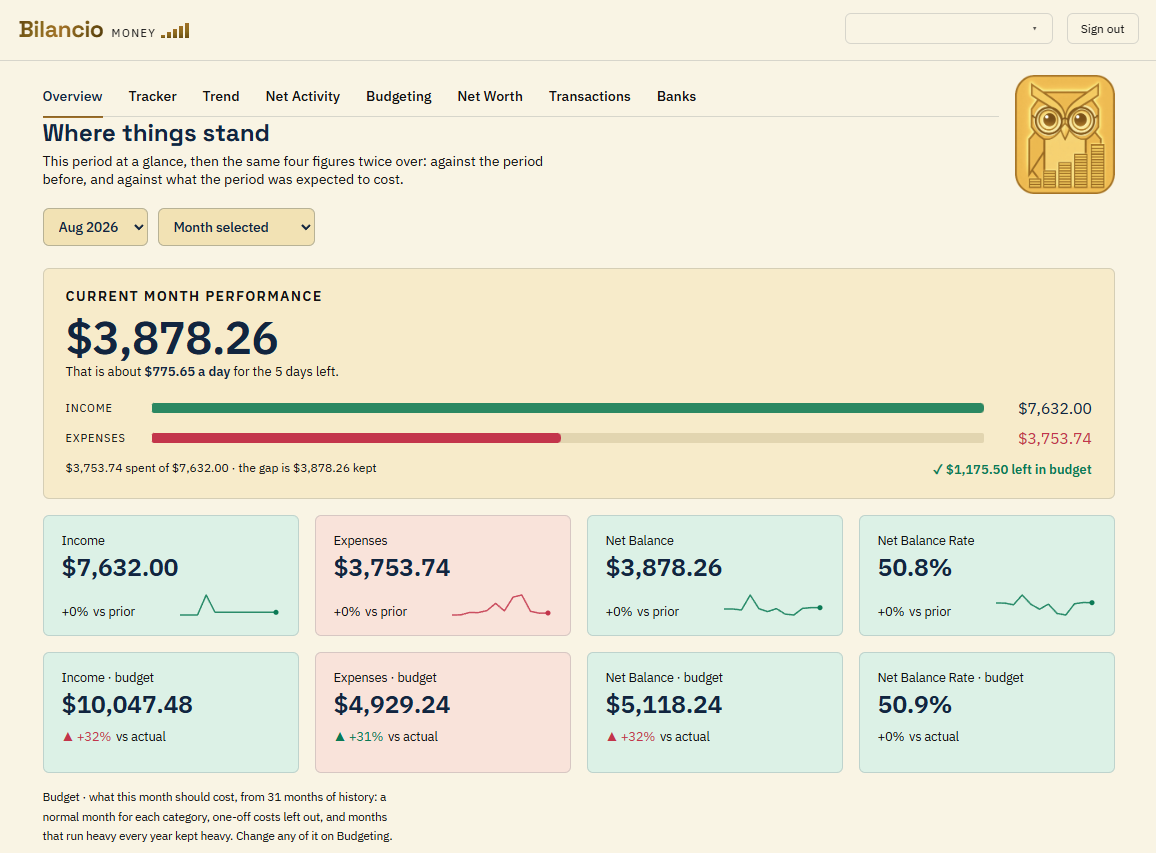
No blank form to fill in. It reads what you have spent, sets the one-off costs aside, and keeps the months that are always heavy heavy.
Are you inside the plan. Is this month worse than the same month a year ago. What did you actually keep. One question, one answer, one screen.
No advertising, no analytics, no third-party tracking of any kind. Your ledger is read to show it back to you, and for nothing else.
Every screen below is the product as it stands, running on a demonstration account of invented transactions. The headings are the app's own.
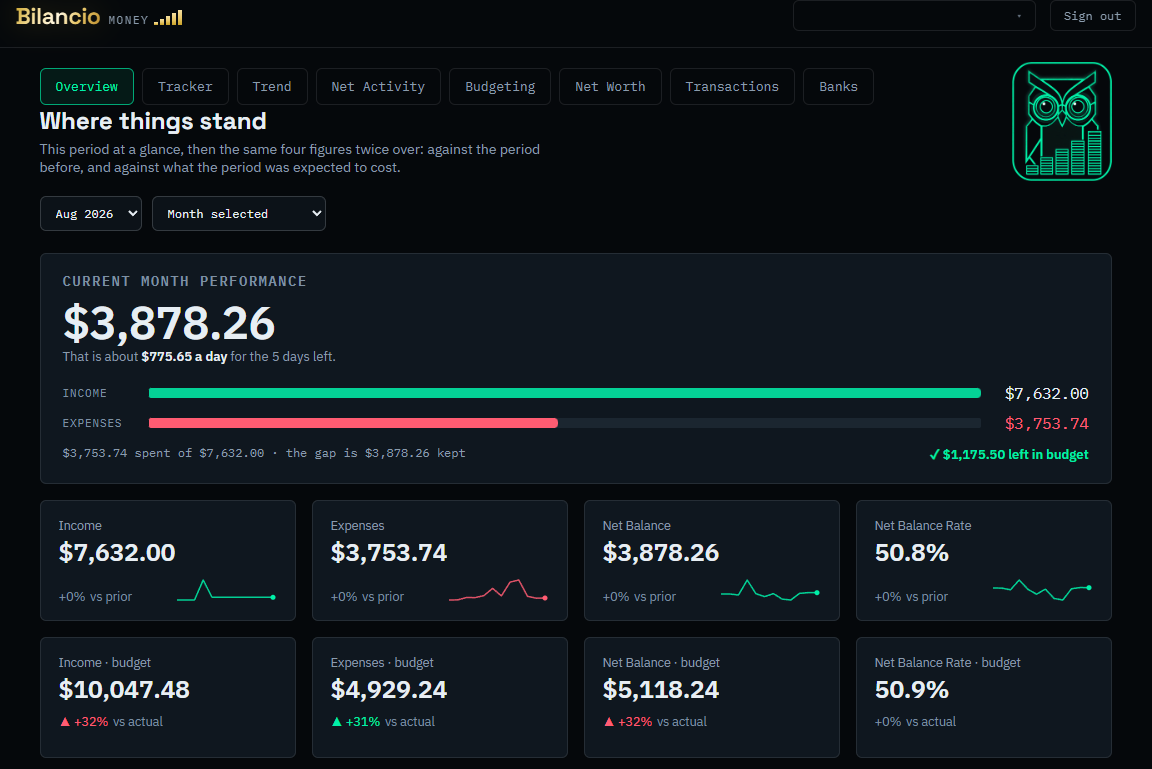
This month against the plan and against the month before it — what came in, what went out, what is left, and the rate you are keeping it at.
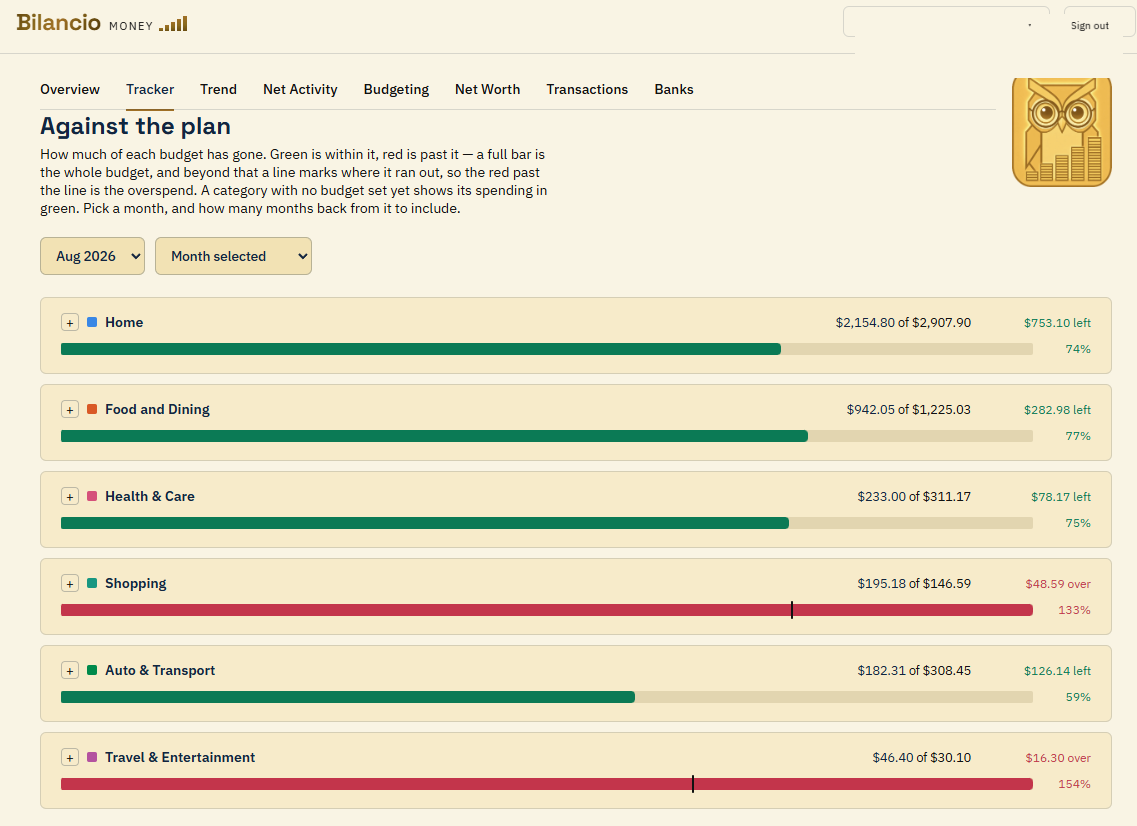
How much of each budget has gone. Green is within it, red is past it, and a line marks where it ran out — so the overspend is the part beyond the line.
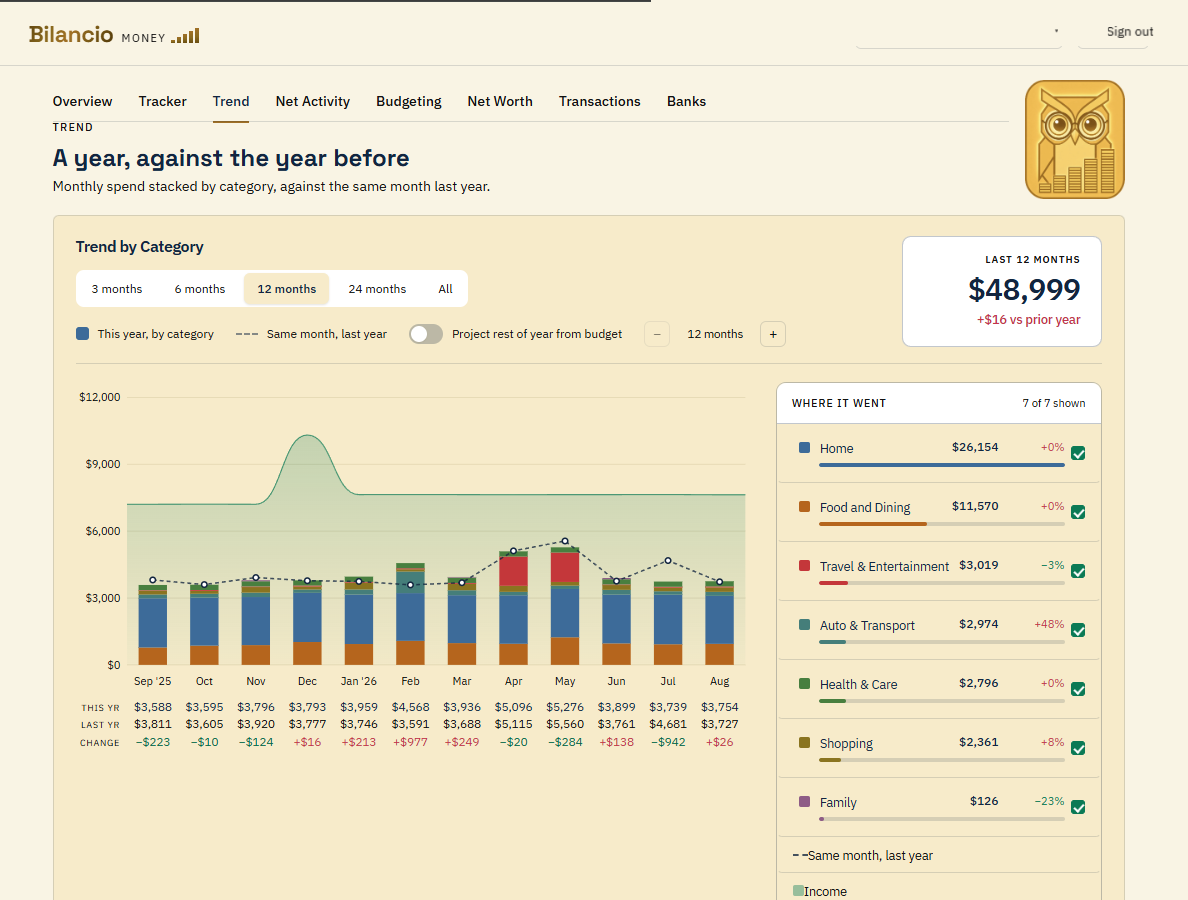
Monthly spend stacked by category, with a dashed line for the same month a year earlier and this year, last year and the difference under every column.
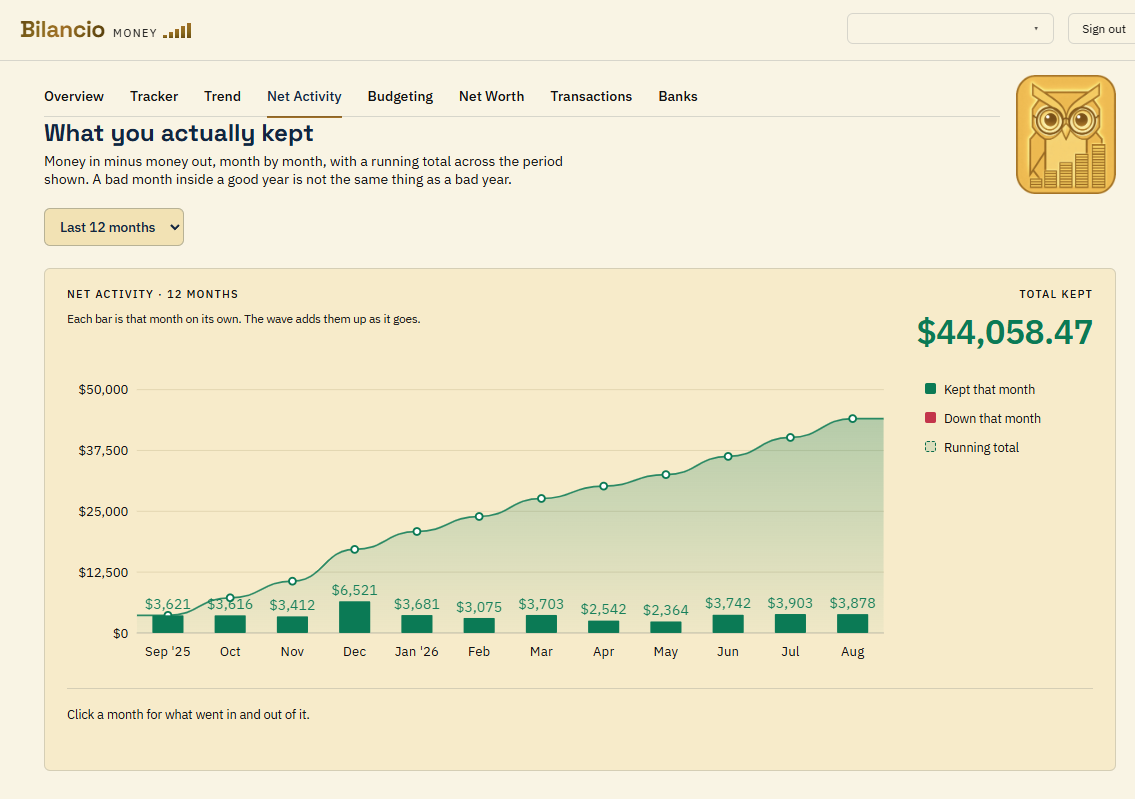
Money in minus money out, month by month, with a running total across the period. A bad month inside a good year is not the same thing as a bad year.
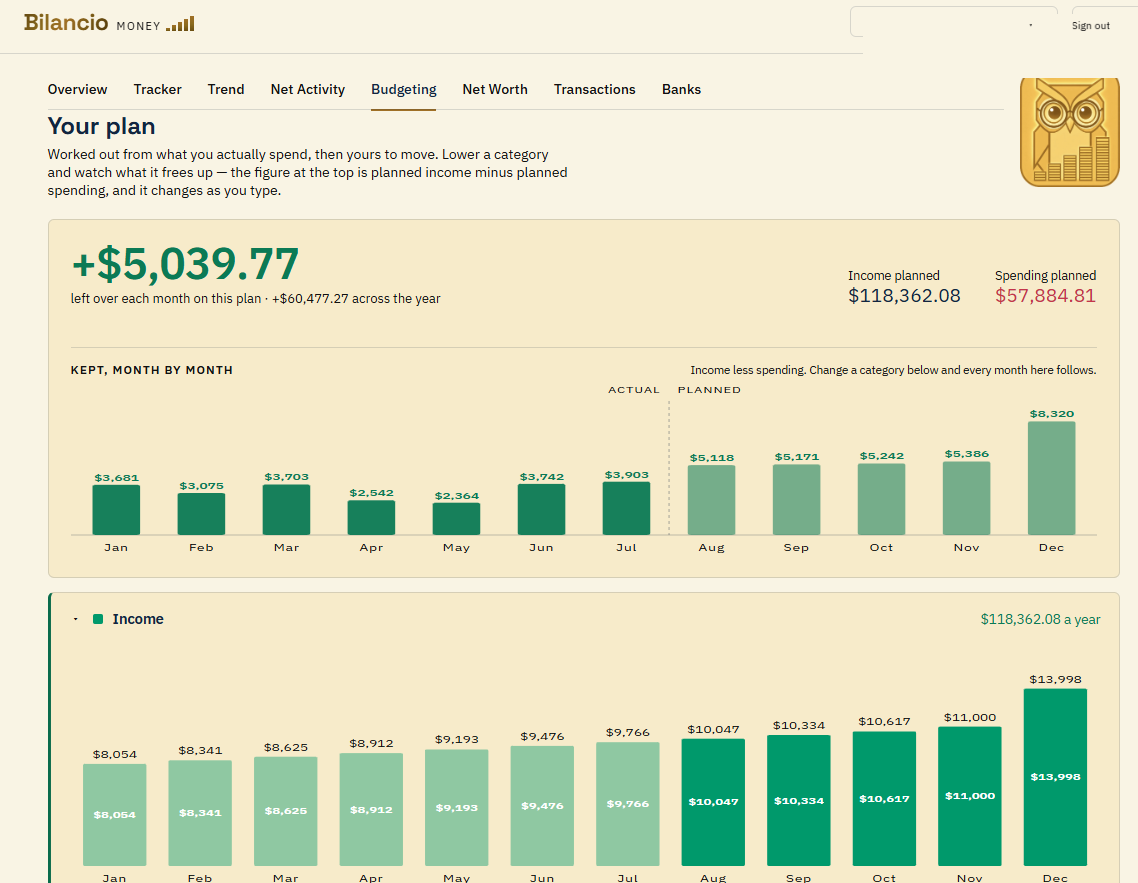
Every category by month, as blocks you can take hold of. Drag one and the figure at the top moves with it, so the cost of a decision is visible while you are still making it.
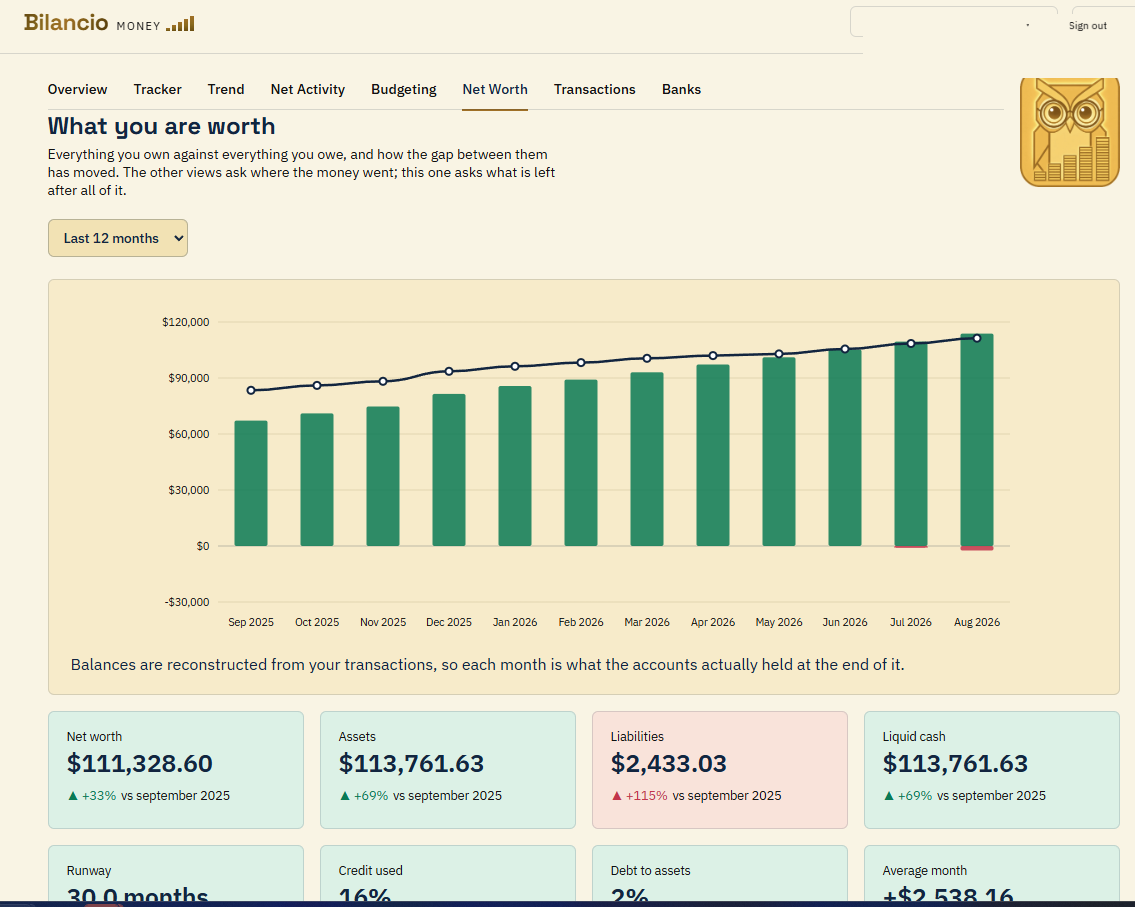
What you own against what you owe, reconstructed month by month — so the line behind the figure is as real as the figure.
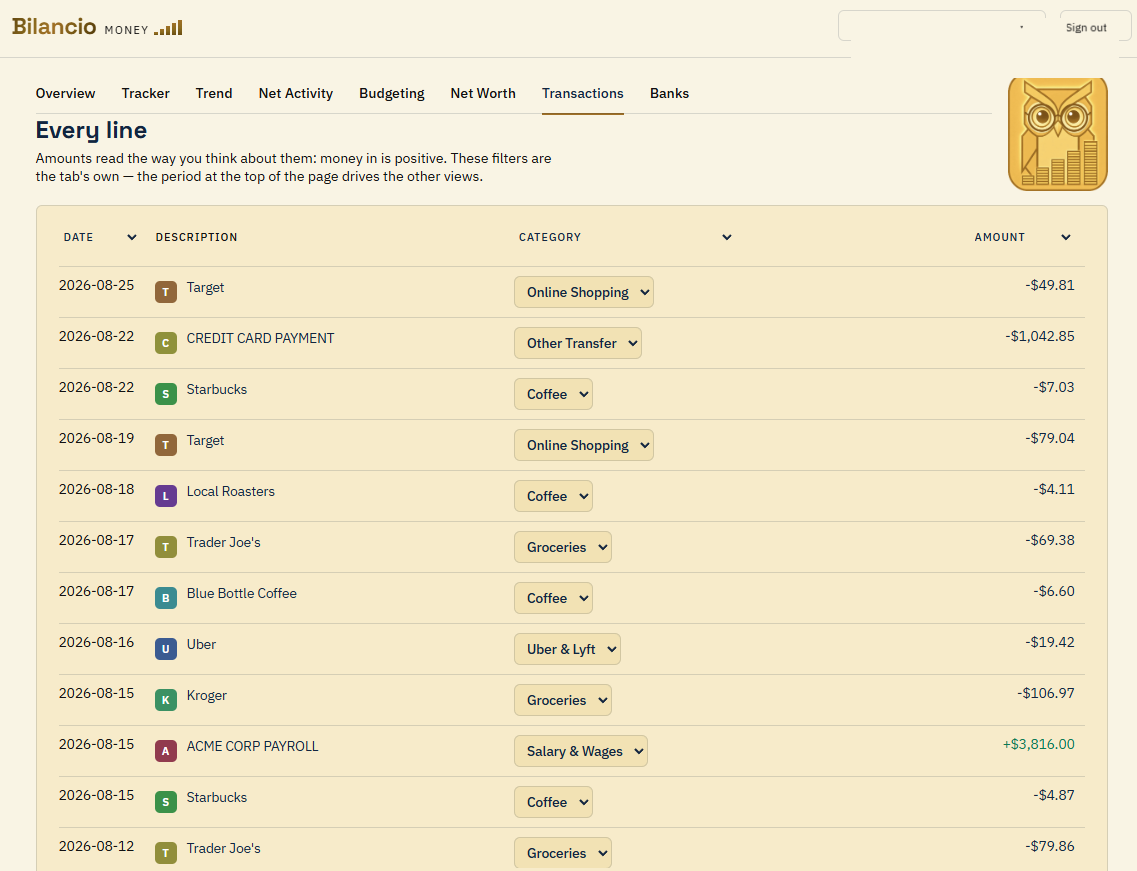
Amounts read the way you think about them: money in is positive. Refile anything, and make a rule from it so the next one files itself.
One method, not a menu. It answers what is normal, where it is heading and what shape the year has — all at once, from your own history.
The middle month rather than the average, so one bad month cannot drag the whole figure along with it.
A one-thousand-dollar vet bill is not a monthly pet budget. It comes out of the monthly figure and is provided for separately.
If May is heavy every year because that is when you travel, May stays heavy. The year is not smeared flat.
Every figure is a starting point. Drag a month, pin a holiday that is already booked, and watch what it does to the year.
From a demonstration account filled with invented transactions.
Bilancio reads your balances and transactions. It has no ability to move money, make a payment, or change anything at your bank — not switched off, not built.
You sign in to your bank inside Plaid's own window. Your details are never sent to, seen by, or stored by Bilancio. We hold a token you can revoke, encrypted, and nothing else.
No advertising, no analytics, no tracking. Disconnect a bank and its history is deleted rather than archived — the accounts and every transaction under them go with it.
Both themes are drawn against measured contrast rather than eyeballed, so a figure is as readable at midnight as it is at noon. It follows your system, and you can override it.
$4.99/month
Billed every month. Stop whenever you like.
$3.99/month
$47.90 billed once a year.
No card to start. Your trial begins when you connect your first bank, and nobody is billed without entering payment details and agreeing to the charge first.
Every account starts with a 14-day free trial, from the day you connect your first bank, with up to two bank connections while you try it. Once you subscribe there is no limit — the price is the same whether you hold one account or ten. No advertising, no upsell, and nothing sold on.
Create an account, connect a bank, and see where you actually stand — with two years of your own history already in it.
14 days free, then $4.99 a month — or $3.99 a month billed annually. Already have an account? Sign in.